¶ Scheduled tasks component
The Scheduled tasks component lets us monitor and control the scheduled jobs defined for the application. These jobs execute code automatically at predefined times or intervals, so we can automate repetitive processes and ensure that critical operations run on schedule.
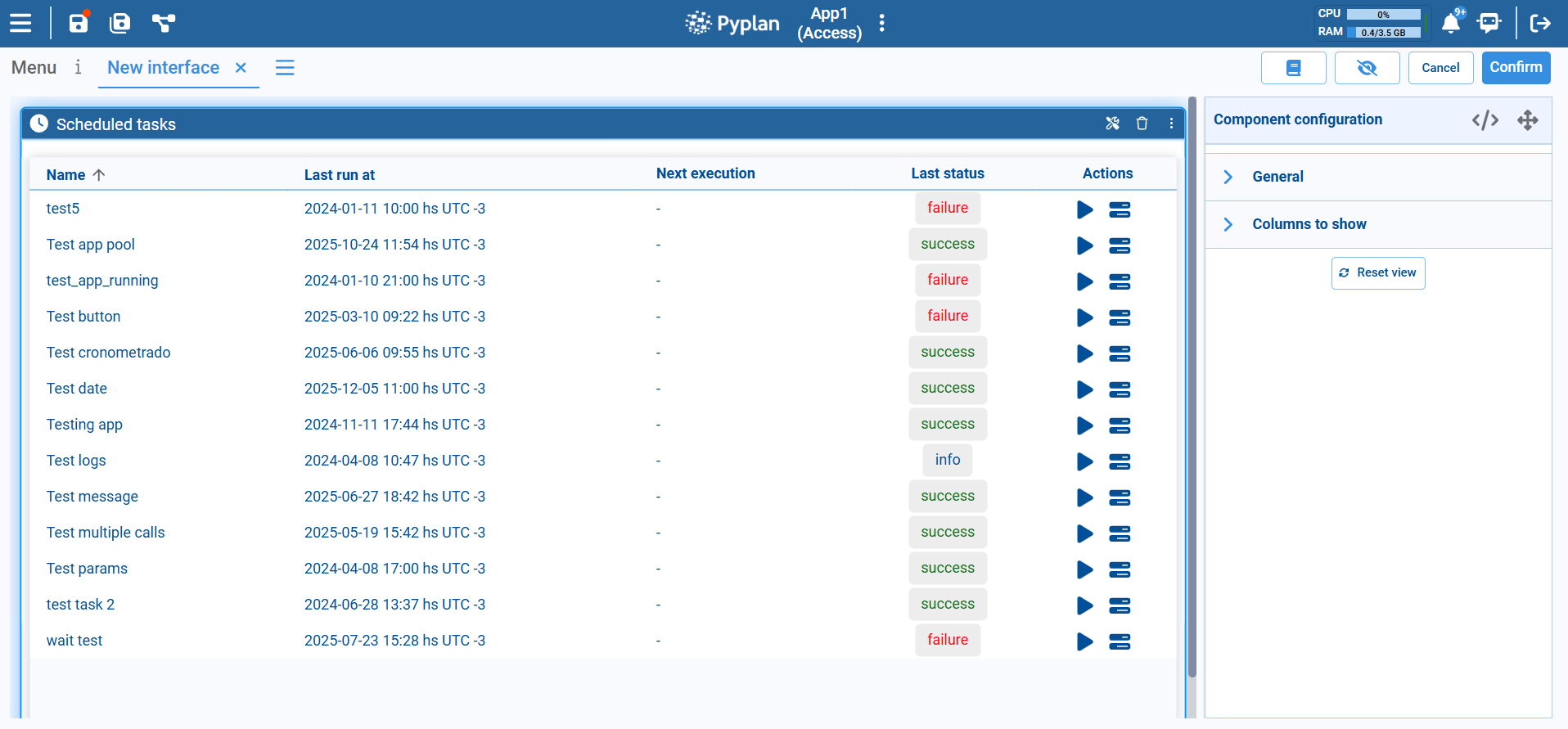
¶ Main layout
Each row in the table corresponds to a scheduled task and includes the following columns:
Name
The name of the scheduled task. This usually identifies the process being automated, such as a nightly refresh or a periodic report.
Last run at
Date and time of the most recent execution, including time zone (for example, 2024‑01‑11 10:00 hs UTC ‑3). This helps us verify when the task last ran.
Next execution
The next planned run of the task, according to its schedule. When the schedule is disabled or still not configured, this value may appear as -.
Last status
Result of the last execution, shown as a colored label:
- success – the task ran successfully.
- failure – the task ended with an error.
- info – informational status, depending on the task type.
Actions
Action icons to interact with the task:
- Run now (play icon): triggers the task immediately, regardless of its regular schedule.
- Task logs (stack icon): opens additional information or logs for that task, useful for troubleshooting failures.
This view gives us a quick overview of whether our scheduled processes are running as expected.
¶ Typical usage
We usually place the Scheduled tasks component in:
- Administrative interfaces used by power users or IT teams to monitor background jobs.
- Operations dashboards where we need to confirm that data loads, model runs, and notifications are being executed on time.
By exposing task names, last run times, next execution, and status in one place—and allowing manual runs and access to logs—the Scheduled tasks component makes it easy to supervise automation and quickly resolve issues when a job fails.